Compare Cox internet plans from $50/mo with speeds up to 2 Gbps
Data and methodology details are available on our research methodology page. Speeds, prices, and availability are verified against provider websites and FCC broadband data as of 2026.
Sources
This content references data from FCC Broadband Map, U.S. Census Bureau, Cox. Pricing and availability are subject to change.
Market Context
The broadband market concentration in the United States served by providers like Cox varies based on population density and infrastructure investment. According to FCC broadband deployment data, median household income and population density are key factors in service availability and pricing. The BEAD (Broadband Equity, Access, and Deployment) program may expand options in underserved areas of the United States.
Cox internet plans start at $50/mo for 25 Mbps and go up to $110/mo for Gigablast (1 Gbps). Cox serves 18 states with cable internet, no contracts required. Panoramic WiFi gateway is $14/mo or bring your own router.
Based on Cox pricing and plan data as of March 2026.
Cox Internet Plans — Full Breakdown
Cox offers five residential internet tiers. Four use hybrid fiber-coaxial (HFC/DOCSIS 3.1) cable technology, while the top-tier plan uses fiber-to-the-home (FTTH) where available. All plans come without annual contracts, and promotional pricing is locked in for 24 months.
| Plan Name | Technology | Download Speed | Upload Speed | Promo Price (24 mo) | Regular Price |
|---|---|---|---|---|---|
| Go Fast | Cable (DOCSIS 3.1) | 100 Mbps | 10 Mbps | $50/mo | $75/mo |
| Go Faster | Cable (DOCSIS 3.1) | 250 Mbps | 25 Mbps | $70/mo | $95/mo |
| Go Even Faster | Cable (DOCSIS 3.1) | 500 Mbps | 50 Mbps | $90/mo | $115/mo |
| Go Super Fast | Cable (DOCSIS 3.1) | 1 Gbps | 100 Mbps | $110/mo | $135/mo |
| Go Beyond Fast | Fiber (FTTH) | 2 Gbps | 2 Gbps | $150/mo | $175/mo |
Promotional pricing is guaranteed for 24 months with no annual contract. Prices do not include taxes and fees. Cox may also offer limited-time promotions beyond the rates listed above.
Promotional vs. Regular Pricing
One of the most important factors when choosing a Cox plan is understanding the difference between promotional and regular rates. Cox locks in promotional pricing for the first 24 months of service, after which the price increases to the standard rate. Here is a side-by-side comparison:
| Plan | Promo Price (Months 1–24) | Regular Price (Month 25+) | Monthly Increase |
|---|---|---|---|
| Go Fast (100 Mbps) | $50/mo | $75/mo | +$25/mo |
| Go Faster (250 Mbps) | $70/mo | $95/mo | +$25/mo |
| Go Even Faster (500 Mbps) | $90/mo | $115/mo | +$25/mo |
| Go Super Fast (1 Gbps) | $110/mo | $135/mo | +$25/mo |
| Go Beyond Fast (2 Gbps) | $150/mo | $175/mo | +$25/mo |
Every Cox plan increases by $25/month after the promotional period ends. Customers approaching the end of their promotional window should contact Cox to negotiate a new promotional rate or consider switching plans.
Equipment Fees and WiFi Options
Cox includes its Panoramic WiFi Gateway (modem/router combo) free of charge for the first 24 months on all plans. After that promotional period, the equipment fee is $14/month. Alternatively, customers can return the Cox gateway and use their own compatible modem and router to avoid the monthly fee entirely.
Panoramic WiFi Gateway
- Included free for the first 24 months of service
- $14/month after the promotional period
- Supports WiFi 6 (802.11ax) for faster wireless speeds
- Includes access to Cox WiFi hotspots nationwide
- Provides a combined modem and router in one device
Bring Your Own Equipment
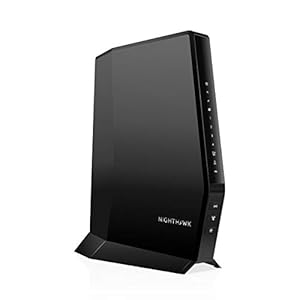
- Customers may use their own DOCSIS 3.1 compatible modem
- Eliminates the $14/month equipment rental fee
- Approved modems listed on Cox’s website (Motorola, ARRIS, Netgear models)
- Own equipment is not supported on the 2 Gbps fiber plan
Cox Fiber Availability and Expansion
Cox has been investing in fiber-to-the-home (FTTH) infrastructure across its service territory, enabling the 2 Gbps symmetrical Go Beyond Fast plan. Unlike Cox’s cable plans, the fiber service delivers equal upload and download speeds and does not have a data cap.
Cox fiber availability is currently concentrated in select neighborhoods within its largest markets. As of early 2026, Cox FTTH is available or actively expanding in parts of:
- Arizona: Phoenix, Scottsdale, Tempe, Mesa, Chandler
- Virginia: Norfolk, Virginia Beach, Chesapeake, Hampton Roads
- Louisiana: Baton Rouge, New Orleans suburbs, Lafayette
- Oklahoma: Oklahoma City, Tulsa metro area
- Nevada: Las Vegas, Henderson, Reno
- Georgia: Parts of Macon, Savannah
Cox has stated its goal to bring fiber to a majority of its service footprint, but the rollout is gradual. Most Cox customers still receive service over the company’s DOCSIS 3.1 cable network, which delivers speeds up to 1 Gbps.
Data Caps and Usage Allowances
All Cox cable internet plans include a 1.25 TB (1,280 GB) monthly data allowance. This cap applies to the Go Fast, Go Faster, Go Even Faster, and Go Super Fast plans. The 2 Gbps Go Beyond Fast fiber plan has no data cap.
What Happens If You Exceed the Cap?
- Cox provides two courtesy months per 12-month period where overages are waived
- After courtesy months are used, overage charges apply at $10 per additional 50 GB block
- Maximum overage charges are capped at $100/month (unlimited data effectively at +$100)
- Customers who routinely exceed the cap can purchase the Unlimited Data add-on for $49.99/month
Is 1.25 TB Enough?
For most households, 1.25 TB is sufficient. A household streaming 4K video for 4 hours daily, browsing the web, and working from home will typically use 500–800 GB per month. Households with heavy gaming downloads, frequent large file transfers, or multiple 4K streams running simultaneously may approach or exceed the limit.
Cox Availability by State
Cox Communications serves customers in 18 states. Its largest service areas are concentrated in the Sun Belt and along the Eastern Seaboard. Select your state below to see local plans, pricing, and coverage details:
Cox Customer Service and Support
Cox provides customer support through multiple channels including phone, online chat, the Cox app, and in-person at Cox Solutions Stores. Phone support is available at . The Cox app allows customers to manage their account, pay bills, troubleshoot connectivity issues, restart their gateway, and check for outages in their area.
Cox also offers a 30-day money-back guarantee for new customers, providing a risk-free trial period to evaluate the service.
Cox Speed Test Results: What to Actually Expect
Advertised speeds are one thing; real-world performance is another. Based on FCC Measuring Broadband America data and third-party speed test aggregators, Cox cable internet typically delivers 90-95% of advertised download speeds during off-peak hours and 80-88% during peak evening hours (7-11 PM). Here is what you can realistically expect from each tier:
| Plan | Advertised Download | Typical Off-Peak | Typical Peak Hour | Latency (Avg) |
|---|---|---|---|---|
| Go Fast | 100 Mbps | 92-98 Mbps | 82-90 Mbps | 12-18 ms |
| Go Faster | 250 Mbps | 230-245 Mbps | 205-225 Mbps | 10-16 ms |
| Go Even Faster | 500 Mbps | 460-490 Mbps | 410-450 Mbps | 10-15 ms |
| Go Super Fast | 1 Gbps | 900-960 Mbps | 780-880 Mbps | 8-14 ms |
| Go Beyond Fast (Fiber) | 2 Gbps | 1.8-1.95 Gbps | 1.7-1.9 Gbps | 3-8 ms |
Speed estimates based on FCC Measuring Broadband America reports and publicly available speed test data. Actual speeds vary by location, network congestion, equipment, and wiring quality.
Cox's cable infrastructure uses DOCSIS 3.1, which handles download speeds well but allocates significantly less bandwidth for uploads. If you work from home with large file uploads, video conferencing, or cloud backups, the upload limitations on cable plans (10-100 Mbps) may be noticeable. The fiber plan eliminates this bottleneck entirely with symmetrical 2 Gbps upload and download speeds.
Cox vs. Competitors: How Does It Stack Up?
In most of Cox's markets, customers have at least one alternative provider. Here is how Cox compares to the most common competitors in terms of starting price, top speed, data caps, and contract requirements:
| Provider | Starting Price | Top Speed | Data Cap | Contract Required | Technology |
|---|---|---|---|---|---|
| Cox | $50/mo | 2 Gbps | 1.25 TB (cable) | No | Cable / Fiber |
| AT&T Internet | $55/mo | 5 Gbps | None (fiber) | No | Fiber / DSL |
| Spectrum | $49.99/mo | 1 Gbps | None | No | Cable |
| Frontier Fiber | $49.99/mo | 5 Gbps | None | No | Fiber |
| CenturyLink | $30/mo | 8 Gbps | None (fiber) | No | Fiber / DSL |
| T-Mobile 5G | $50/mo | 245 Mbps | None | No | Fixed Wireless |
Key takeaway: Cox's biggest competitive weakness is the 1.25 TB data cap on cable plans. Spectrum, AT&T Fiber, and Frontier Fiber all offer unlimited data. If you have fiber options available at your address, they generally offer better value per dollar than Cox cable. However, in areas where Cox is the only wired provider, its cable service delivers strong, reliable speeds with competitive pricing.
Want to see all providers at your address? to check availability or enter your ZIP code above.
Which Cox Plan Is Right for You?
Choosing the right Cox plan depends on how many people use your internet, what activities you do online, and whether you need high upload speeds. Use this guide to match your household to the right tier:
| Household Type | Recommended Plan | Why | Monthly Cost |
|---|---|---|---|
| 1-2 people, light browsing and email | Go Fast (100 Mbps) | Handles basic web browsing, social media, and HD streaming for 1-2 devices | $50/mo |
| 2-4 people, streaming and WFH | Go Faster (250 Mbps) | Supports multiple HD/4K streams, video calls, and everyday work from home | $70/mo |
| 3-5 people, heavy streaming and gaming | Go Even Faster (500 Mbps) | Handles simultaneous 4K streams, online gaming, and smart home devices without slowdown | $90/mo |
| 4+ people, power users | Go Super Fast (1 Gbps) | Best cable plan for large households with heavy use: 4K streaming, gaming, large downloads | $110/mo |
| Remote professionals, content creators | Go Beyond Fast (2 Gbps Fiber) | Symmetrical speeds, no data cap, lowest latency — ideal for uploads and real-time collaboration | $150/mo |
Not sure which plan fits? and a representative can assess your needs and recommend the right tier.
Cox Installation: What to Expect
Cox offers two installation paths: professional installation and self-installation. Here is what each involves:
Professional Installation ($100 one-time fee)
- Technician visits your home and sets up the gateway, verifies signal levels, and activates service
- Includes running new coaxial cable if needed
- Appointment windows are typically 2-hour blocks (morning or afternoon)
- Required for new construction or homes without existing Cox wiring
- Free professional installation promotions are sometimes available for new customers
Self-Installation (Free)
- Cox ships the Panoramic WiFi Gateway to your address
- You connect the gateway to an existing coaxial outlet and power it on
- Activation is completed through the Cox app or by calling
- Takes approximately 15-30 minutes for most customers
- Available only at addresses with existing Cox wiring in good condition
Self-installation saves $100 and is the faster option if your home already has a coaxial connection from a previous Cox or cable installation.
Cox Internet for Gaming: Performance Analysis
Online gaming requires low latency, consistent speeds, and minimal packet loss — not necessarily the fastest download speed. Here is how Cox performs for gaming on each plan:
- Latency: Cox cable plans average 10-18 ms latency to most game servers, which is excellent for competitive gaming. The fiber plan drops this to 3-8 ms.
- Download speed: Most online games require only 3-10 Mbps, so even the Go Fast (100 Mbps) plan has more than enough bandwidth for gaming. Faster plans help when downloading large game updates (50-100 GB patches).
- Upload speed: Cox's cable upload speeds (10-100 Mbps) are adequate for gaming but may struggle if you also stream on Twitch while gaming. For streamers, the Go Super Fast (100 Mbps up) or fiber plan is recommended.
- Packet loss: Cox's DOCSIS 3.1 network generally delivers less than 0.5% packet loss under normal conditions, which is within acceptable limits for competitive play.
Best gaming plan: For most gamers, the Go Faster (250 Mbps) or Go Even Faster (500 Mbps) plan offers the right balance of speed, headroom for downloads, and cost. Competitive streamers should consider the Go Super Fast or fiber plan for the upload bandwidth.
Cox Bundles: Internet + Mobile
Cox does not offer traditional TV or phone bundling in most markets anymore, but Cox Mobile is available to internet subscribers. Cox Mobile runs on the Verizon network and offers unlimited plans starting at $30/month per line when bundled with Cox internet. Key details:
- Unlimited plan: $45/line/month (or $30/line with 2+ lines)
- By the Gig plan: $15/GB/month per line — good for light mobile data users
- Network: Runs on Verizon's 4G LTE and 5G network nationwide
- WiFi handoff: Automatically connects to Cox WiFi hotspots to save mobile data
- Requires: Active Cox internet subscription
Cox Mobile is a strong value for existing Cox internet customers who want to reduce their overall telecom bill. The Verizon network backbone ensures reliable coverage, and the WiFi hotspot integration can meaningfully reduce mobile data usage at home.
Cox Internet for Working From Home
With remote work now a permanent part of many jobs, your internet plan directly impacts your productivity. Here is what to consider when choosing Cox for work from home:
- Video conferencing (Zoom, Teams, Meet): Requires at least 5 Mbps upload. Cox's Go Fast (10 Mbps up) works but leaves little headroom. Go Faster (25 Mbps up) or higher is recommended if multiple people on the network join video calls simultaneously.
- VPN connections: Corporate VPNs add 10-20% overhead. Factor this into your upload speed needs.
- Cloud file syncing: Large file uploads to Google Drive, Dropbox, or OneDrive are limited by your upload speed. The Go Super Fast (100 Mbps up) plan dramatically reduces upload wait times.
- Data cap consideration: Video conferencing uses approximately 1.5-2.5 GB per hour. A full-time remote worker on video calls 4 hours daily uses roughly 40-60 GB per month just for video meetings — well within the 1.25 TB cap.
Best WFH plan: Go Faster (250 Mbps down / 25 Mbps up) at $70/month provides a reliable balance for most remote workers. Households with two or more remote workers should consider Go Even Faster or higher for the additional upload bandwidth.
How to Save Money on Cox Internet
Cox pricing increases $25/month after the 24-month promotional period, but there are strategies to manage costs:
- Negotiate at renewal: When your promo rate ends, and ask for a new promotional rate. Cox regularly extends discounts to retain customers.
- Use your own modem: Save $14/month ($168/year) after the free equipment period by using a compatible DOCSIS 3.1 modem.
- Skip the Unlimited Data add-on: At $49.99/month, the add-on costs $600/year. Unless you regularly exceed 1.25 TB, the two courtesy months and $100 overage cap may cost less than the add-on.
- Downgrade strategically: If your household reduces in size or your usage patterns change, dropping one tier saves $20/month ($240/year).
- Low-income programs: Cox ConnectAssist and the FCC's Affordable Connectivity Program (ACP) successor programs can significantly reduce monthly costs for qualifying households.
Bottom Line: Is Cox Worth It?
Cox is a strong choice for households in its 18-state service area, particularly for customers who want reliable cable internet without a contract. The promotional pricing is competitive, and the 24-month rate lock provides cost predictability. The main drawbacks are the 1.25 TB data cap on cable plans and the $25/month price increase after the promotional period. For customers in areas where Cox fiber is available, the 2 Gbps plan with symmetrical speeds and no data cap represents a premium option that competes with Verizon Fios and AT&T Fiber.
Ready to order? to speak with a Cox representative and check availability at your address.